
Jaromail
Local-first email
Jaro Mail is an integrated suite of interoperable tools to manage e-mail communication in a private and efficient way, without relying too much on on-line services, in fact encouraging users to store their email locally.
Rather than reinventing the wheel, Jaro Mail reuses existing free and open source tools working since more than 10 years (and likely to exist for longer) and is mainly targeted to Apple/OSX and GNU/Linux desktop usage.
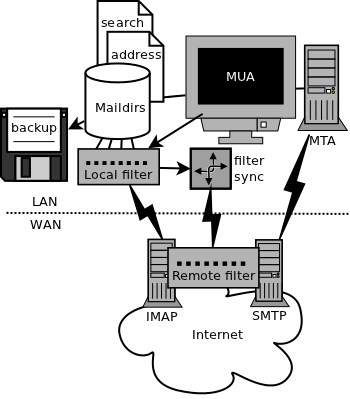
Features
- Minimalistic interface with automatic threading
- Targets intensive usage of mailinglists
- Does whitelisting and integrates addressbooks
- Can do search and backup by expressions
- Automatically generates filtering rules
- Import and export of VCard contacts
- Computes and shows statistics on mail traffic
- Secure password storage (native OS keyring)
- Provides advanced maildir management tools

This software product was tested thoroughly and was found absolutely clean; therefore, it can be installed with no concern by any computer user.
- Stores e-mails locally in a reliable format
- Defers connections for off-line operations
- Checks SSL/TLS server certificates (imap, smtp)
- Supports strong encryption messaging (GnuPG)
- Can send anonymous emails (Mixmaster)
- Many languages! so exotic! such UTF-8!
- Is multi platform: GNU/Linux/BSD, Apple/OSX
- Old school, used by its author for the past 10 years
Console email is the way! but what is this really made of?
To use Jaro Mail on your desktop client, you will require some programs. These programs are ready into the Apple/OSX package, but you will have to install them by yourself if you use GNU/Linux, preferably using your favourite package manager.
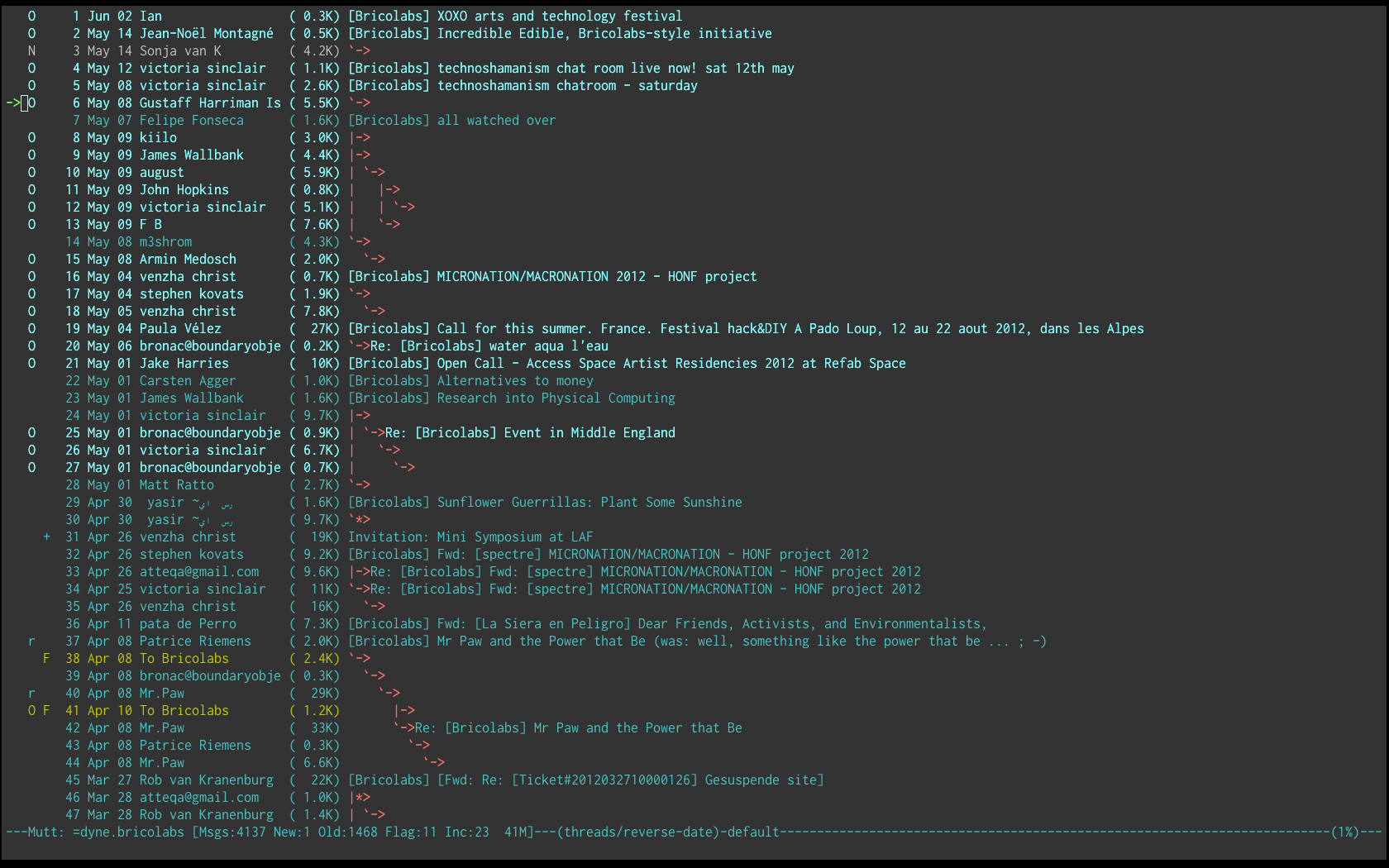
Screenshot of a mailinglist folder open on OSX
- Mutt is the mail user agent (terminal console)
- Fetchmail for remote email retrieval (imap)
- MSmtp as mail transport agent (smtp)
- Notmuch as search engine
- GnuPG for message encryption
- Mixmaster to send anonymous emails
- Z Shell the most awesome shell script interpreter
 \
\
Documentation
“The aptly named JaroMail is a step in the right direction – precisely how I’ve used email the last 10 yrs” – Julian Oliver
It is recommended that you read the user manual: this is not exactly a typical consumer grade software and you won’t get far unless you know what you are doing. Even for experienced Mutt users there are things to learn in the manual, on how Jaro Mail redesigns the e-mail workflow for instance with whitelisting and remote sieve folders.
User Manual
Seriously, if you are wondering what this software does and you are not satisfied by this silly homepage: the PDF manual is the place to look. It explains it all in detail, click the green button above and read the manual *grin*
Download
Jaro Mail version 2 is made available in a ready to install form for Apple/OSX desktops.
GNU/Linux users can have the newest and faster version 3 built and installed simply using make and make install console commands.
Development
The code repository along with more technical documentation is on Github.com/Dyne/JaroMail.
Encrypted storage

If you are concerned about your privacy, or in need to keep your communication confidential, then we recommend you to encrypt your emails using the GNU Pretty Good Privacy tools and ask your peers to do the same.
To also encrypt your email archive when downloaded on local storage one can use Tomb, the crypto undertaker a small program to create encrypted folders promoting techniques that are well secure like key/storage separation, steganography etc.

TombLinux private folders
Tomb is our system to make strong file encryption easy for everyday use. It is a minimalistic command line that facilitates managing secret folders protected by strong encryption. It is based on Linux (LUKS) and guarantees backward compatibility since 2007.
Tomb integrates very well with Jaro Mail: one can make the ~/Mail and ~/.gnupg directories reside inside a tomb which will mount them in place inside the $HOME via its bind-hooks.